Insights
Remote Video Surveillance: How Off-Site Monitoring Works and How to Choose a System
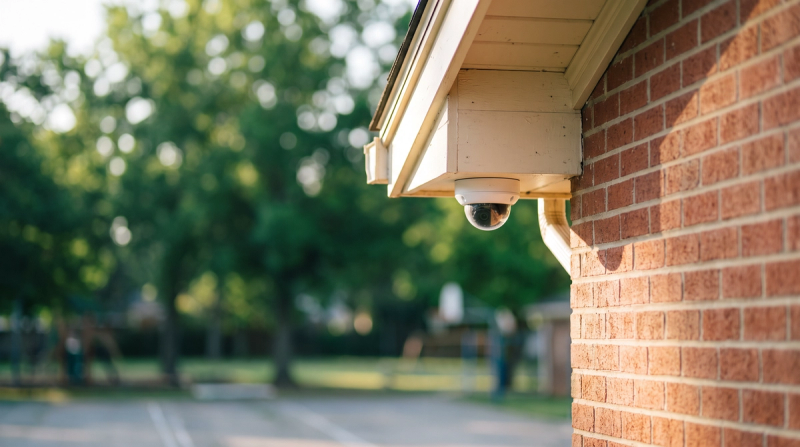
Most schools and campuses already record video. Far fewer have anyone watching it while something is happening. Remote video monitoring closes part of that gap: cameras stay where they are, and the footage is viewed, reviewed or analyzed from somewhere else, whether that is a district operations room across town, a campus security office, or an outside monitoring partner.
This guide covers how remote monitoring works, the system types you will be choosing between, and a checklist you can take into a vendor conversation.
What remote video monitoring is
Remote monitoring means the people or software paying attention to your cameras are not standing next to the recorder. Video travels over your network to a remote viewer, a cloud service, or both. Someone (or something) decides whether what is on screen matters, and a defined person on your side gets told.
That last step is the one buyers skip. A remote setup is only as useful as its handoff: who is notified, how, and what they are expected to do next. For a school, that is usually the principal, the campus safety lead, the facilities on-call, or the school resource officer.
How it differs from on-site monitoring
- Coverage without a seat in every building. One small team can keep an eye on several sites, which matters for districts with one safety coordinator and many campuses.
- After-hours reach. Nights, weekends and breaks are when buildings are empty and staff are home. Remote monitoring is often bought for exactly those hours.
- A record of what happened. Remote systems usually log who looked at what and when, which helps when you need to reconstruct an incident.
- Less local context. A remote viewer does not know that the side door is always propped for the lunch delivery. Good programs fix this with site notes and a short call list.
The system types you will compare
Recorder-based CCTV with remote access
Cameras record to an on-site recorder, and authorized staff can log in from elsewhere to view live or recorded video. Simple and familiar, but someone still has to be looking.
Cloud-based video
Video, or a copy of it, is stored and viewed through a cloud service. Easier multi-site access and updates; bandwidth and data-retention terms need a close read.
Hybrid
Recording stays local while viewing, alerts and short clips move through the cloud. This is the most common pattern for schools that want to keep existing recorders.
AI-assisted video monitoring
Software watches the streams and flags specific events, such as a person in a closed building or a fight starting, so people only look when there is something to look at. Ask how flags are reviewed before anyone is notified, and whether it runs on the cameras you already own.
Where remote monitoring helps schools most
- After-hours trespass and break-ins on a closed campus.
- Parking lots, fields and perimeter areas with no staff nearby.
- Evening events, when the building is open but lightly staffed.
- Multi-site districts where one coordinator covers many buildings.
The buyer's checklist
Video quality
- Is image quality good enough at night and at the distances that matter?
- Does the system adjust stream quality to your bandwidth without losing the detail you need?
Storage and retrieval
- How long is video kept, and where?
- How fast can staff find and export a clip for an investigation?
Remote access and control
- Who can view which cameras, from which devices?
- Are permissions role-based, and is access logged?
Analytics and AI
- Which events does it flag, and which does it not?
- Does a person review a flag before your team is notified?
- Can you tune it by area and time of day?
Integration and compatibility
- Does it work with your current cameras and video management system, or does it require new hardware?
- Can it notify the tools your team already uses, such as phones, radios or a panic-alert system?
Response and handoff
- Who gets notified for each type of event, and in what order?
- Is there a written escalation path for nights and weekends?
- If you use an outside partner, what is in their site notes and how often are they updated?
Privacy and data handling
- Who can see student video, and under what policy?
- Does the product use facial recognition? Many schools prefer a system with no facial recognition.
If you work with a monitoring partner
Ask for their written procedure for a school site, a sample incident report, and the call list they would use. Agree in advance what they handle (for example, a talk-down over a speaker) and what always goes straight to your team or your SRO. Review a month of their reports together after go-live.
Rolling it out
- Start with an assessment. List the areas and hours you most worry about, and the cameras that cover them.
- Design for intervention. Monitoring without a way to act (speakers, lights, a person to call) only documents what went wrong.
- Write the communication plan. Names, numbers, order of contact, and what each person does.
- Review and adjust. Look at what was flagged in the first weeks and tune areas, schedules and contacts.
Where VOLT fits
For schools that want remote monitoring without new cameras, see how VOLT works.
VOLT is built to notice moments: a fall, a fight, someone where they shouldn't be.
VOLT tracks a person by visual appearance across the camera footprint and shows that track on a 3D floor plan, so first responders reach where the situation is unfolding now, not where it started.
VOLT detects handguns, long guns, and knives that are visible to the camera.
VOLT is built to run on the cameras you already have. Some older analog cameras may need an upgrade.
By default, a VOLT reviewer checks it before your team is notified.
FAQs
What is the difference between CCTV and remote video monitoring?
CCTV records video. Remote monitoring adds people or software paying attention to it from another location, plus a plan for who gets told.
Do we need new cameras?
Often not. Many remote and AI-assisted systems connect to the IP cameras a school already has. Older analog cameras may need an upgrade.
Is remote monitoring only for after hours?
No, but that is where most schools see the clearest value, because buildings are empty and staff are off site.