Insights
AI Surveillance: What It Is and How AI Security Systems Work
"AI security system," "AI camera software" and "AI video monitoring" usually describe the same idea: software that watches video from cameras and flags specific moments for people to look at. This page explains what that software does, where it helps, where it does not, and what to ask before you buy.
What AI video monitoring is
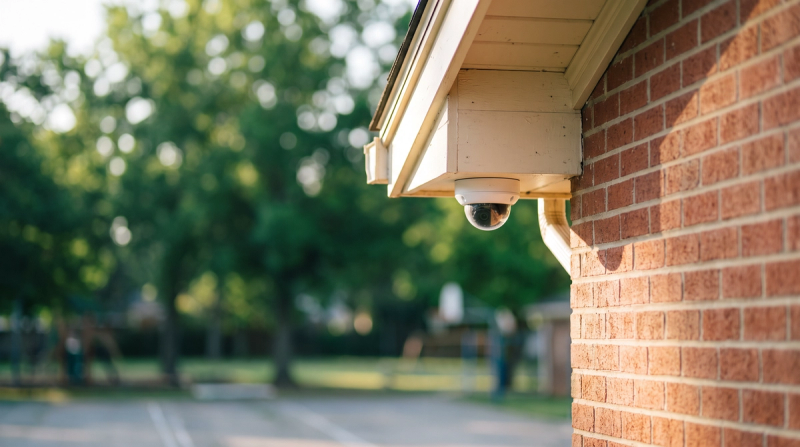
Traditional camera systems record. Someone has to watch live, or go back through footage after something happens. AI video monitoring adds software that analyzes the video as it comes in and raises a flag when it sees something it has been built to notice, such as a person in a closed area, a fight starting, or a visible weapon.
AI security systems vs. AI camera software
- AI camera software runs on video from cameras you already have. It is usually sold as software, sometimes with a small on-site appliance.
- AI security cameras put the analysis inside the camera itself, which usually means replacing hardware.
- AI security system is the umbrella term. It can include either of the above, plus alerts, access control and reporting.
For most schools the practical question is whether the AI can work on existing cameras, because replacing hardware across a district is a large, slow capital project. More on that tradeoff: security cameras for schools.
How it works
- Video in. Streams from existing IP cameras go to the software, on site, in the cloud, or both.
- Analysis. Models look for specific events and objects, frame by frame and over time.
- A flag. When something matches, the system creates an event with a clip and the camera location.
- Review. Good systems put a person between the flag and your team, so staff are not chasing false alarms.
- Notification. The right person on your side (an administrator, campus safety, the SRO) gets a clear message with the clip and location.
What it can notice, and what it can't
AI video monitoring works on what the camera can see. It can flag a person somewhere they should not be, a fight, someone on the ground, or a weapon in plain view. It cannot see inside bags or behind walls, and it cannot cover areas without cameras. Treat any claim that sounds broader than that with care.
Common uses
- Access and doors: people in restricted areas, entry after hours.
- Perimeter: fence lines, parking lots and fields when the campus is closed.
- Behavior: fights, crowds forming quickly, someone down in a stairwell.
- Investigations: finding the right clip fast instead of scrubbing hours of video.
Benefits over recording alone
- Attention where it is needed. Staff look at flagged moments instead of walls of monitors.
- Earlier awareness. Your team can learn about a situation while it is happening, not after.
- Better use of existing cameras. Software can add value to cameras you have already paid for.
- Records for planning. Event history shows where and when problems cluster.
Challenges to plan for
Privacy
Write down who can see video and flags, how long they are kept, and how families can ask questions. Many schools choose products with no facial recognition. See VOLT and FERPA.
Bias and false alarms
Ask how the vendor tests its models across lighting, camera angles and people, and how false flags are handled before they reach staff.
Cybersecurity
The software touches your network and your video. Ask about encryption, access logging and how updates are delivered.
How to choose an AI security system
- Environment: indoor, outdoor, low light, wide fields of view.
- Integration: works with your cameras and video management system; notifies the tools your team uses.
- Human review: who checks a flag before your team is notified, and how fast.
- Data handling: where video is processed and stored, retention, access controls.
- Scale: adding buildings and cameras without re-engineering.
- Support: onboarding, tuning, and who you call at 2 a.m.
- Cost model: per camera, per site or per student, and what is included.
Where VOLT fits
VOLT is built to notice moments: a fall, a fight, someone where they shouldn't be.
VOLT tracks a person by visual appearance across the camera footprint and shows that track on a 3D floor plan, so first responders reach where the situation is unfolding now, not where it started.
VOLT detects handguns, long guns, and knives that are visible to the camera.
VOLT is built to run on the cameras you already have. Some older analog cameras may need an upgrade.
By default, a VOLT reviewer checks it before your team is notified.
FAQs
How is AI video monitoring different from traditional CCTV?
CCTV records. AI video monitoring analyzes the video as it comes in and flags specific moments, so people can respond while something is happening.
Is AI camera software the same as an AI security camera?
No. AI camera software works on video from cameras you already have. An AI camera puts the analysis inside new hardware.
Does it use facial recognition?
Some products do. Ask directly. VOLT uses no facial recognition.